Skype vs. H323 Videoconference Carts

It’s not too long ago, that I was comparing videoconference carts to “integrated rooms.” Now it’s time to compare Skype to videoconference carts. There are many ways and reasons to use Skype in the classroom; there are also many ways and reasons to use some form of H323 videoconferencing in the classroom.

Danielle Letter, TWICE President Elect, invited me to present with her last week at a MACUL preconference workshop. We started making a wiki, and spent considerable time discussing pros and cons of various tools. Since then, I’ve been thinking more about Skype in the classroom and H323 in the classroom; and the pros and cons of each tool. (I’m using H323 to be very specific about the type of videoconferencing I’m referring to. H323 is the protocol used to communicate.)

Picture Skype

Flat Classroom Skype by SuperKimbo
H323 Videoconference Cart

From the Read Around the Planet Gallery
Viewing Unless connected to a projector; difficult for the whole class to see Monitor/projector usually designed for the whole class to see
Micro-phones The computer mic is designed for one person at the computer; so audio can be seriously problematic. You might have trouble with the other site not able to hear you. You may also have echo cancellation problems – where the school at the other site hears themselves talking.

This may be able to be solved if you purchase an echo cancellation mic designed for a conference room table or similar situation.

Another limitation may be the length of the microphone cable.

The microphones with cart videoconference systems are designed for whole group use. They are usually on a 30 foot cord, easy to move around the room. They have echo cancellation built in, so no echo problems.

These microphones also usually do well with adults speaking from anywhere in the room; and often the students. But if students are presenting, it works better to have them come up to the mic as shown above.

Avail-
ability
Access right in your classroom all the time. Easy to just jump in and use it. The cart may be in the library or down the hall. Have to schedule it and share among all the teachers in the school. In some districts, VC is mobile throughout the whole district; or only available at the high school.

Depending on cart design, it may be hard to move around the school.

Peri-
pherals
You can share your desktop with another site, but you cannot hook up other inputs such as the document camera. Usually several inputs for DVD, document camera, computer, etc. Multiple types of visuals can be shared with the other site.
Sharing your computer
Very easy to share your computer screen (PowerPoint, movies, etc.) with the other site. If you’re using H.239 (People Plus Content; DuoVideo; etc.), there are several scenarios where you may not be able to share your computer with the other site.

If you’re using S-Video to connect the computer to the videoconference system, it should work great all the time.

Camera Usually with Skype you have a little web cam which cannot zoom or have presets. The camera has great ability to pan, tilt, and zoom. You can set a preset on any spot in the room (at least 10 or more presets). You can set presets on additional inputs so you can easily switch between the document camera and students, for example.
Remote Usually you can only control the videoconference from the teacher’s computer. An infrared remote control allows controlling the videoconference from anywhere in the room.
Band-
width
There is a potential that you could overwhelm the school’s bandwidth if every teacher did a videoconference at the same time. With a cart, there is a physical limitation to only do one videoconference at a time. Easier to control the bandwidth used.
Picture Quality
The picture quality varies widely depending on the cameras used at both ends and the bandwidth of the two sites participating in the conference. Cameras tend to be higher quality, even HD, and so the picture quality tends to be higher than with Skype. It still can vary based on the bandwidth of the sites involved in the conference.
Multi-
point
Skype only connects point to point with video. Yes you can have 10 audio participants in a call; but not video. With the use of a bridge/MCU, you can connect many sites together. Some essential applications include the ability to share the cost of amazing experiences from Global Nomads Group and COSI Columbus across several participating schools, as well as getting multiple perspectives from around the country/world at the same time. MysteryQuest and all its spinoffs are multipoint events; ASK programs work best sharing the cost of the author with 3 schools.

In addition, since I have a bridge, I can monitor even my schools’ point to point calls (by putting them up on the bridge and adding my site). This way I can provide support and encouragement to teachers as they participate. They aren’t “alone” with the technology. I also like to watch the VCs so that I can recommend the good ones to my schools.

None of this is possible with Skype.

Cost
$100-200 depending on the quality of the web cam and microphone you invest in. Skype itself is free. $2000-$9000 depending on the size of the monitor/projector, type of cart, and additional peripherals used.
Available Content Many other classrooms to connect to; as well as authors. You can also arrange to connect with any guest speaker you can find. More resources here.

It is easier to connect to international sites with Skype as it’s more likely they can afford a webcam and Skype than the H323 videoconferencing software or equipment.

In addition to other classrooms, authors, and guest speakers, there is a large community of zoos, museums, and other organizations who offer programs to schools. We call them content providers. Most of them cannot offer their content via Skype because they have so many awesome visuals to share with your students that they cannot connect to show via Skype.

It can be harder to connect to international sites as they may not have access.

What do you think?

To me, the content available via H323, and the quality of the conference are the two main reasons to keep using H323 carts; even though Skype is free and easy.

What do you think? Did I miss a comparison? What would you add? Please comment!

8/29/10 Update: Added a section about international connections to the available content.

New Videoconferencing Research

Just found an alert in my inbox this morning for a new dissertation on videoconferencing. Here’s the abstract. I highlighted some lines that I thought were interesting.

by Mountain, Leigh A., Ph.D., State University of New York at Albany, 2009, 219 pages; AAT 3387116

Abstract (Summary)

The purpose of the present study was to investigate the impact of access to videoconferencing on student achievement, affect and behavioral measures. Student achievement was defined as students’ scores on assessments, while affect was defined by students’ responses to survey questions which measured student interest. Behavioral measures were defined as on-task and off-task behaviors students engaged in during the lesson. Prior knowledge and affect items were used as covariates during the analyses. The sample for this study included college, middle school, and elementary school level classes. Students who were part of the treatment group either had access to a videoconference provided by an external content provider or participated in a collaborative classroom project as part of their topic of study. Students who received a traditional lesson taught by the regular classroom teacher were part of the control group. Data were collected from observations, student and teacher affective surveys, student assessments, measure of prior knowledge, and a content provider interview. The design utilized for this study was a quasi-experimental posttest-only design with nonequivalent groups. The analyses conducted on the data included ANOVA, ANCOVA, MANOVA, MANCOVA, descriptive statistics, and chi-square test. Findings from the studies related to affect showed that at the college level a significant difference by access to videoconferencing was found for the overall construct of affect. No significant difference was found in student assessment scores by group except for in the college study after covarying for affect items. Student behavior varied across the studies. Gagne’s nine events of instruction were explored in relation to how they were implemented in the videoconference lessons in these studies. It was found that when the events were successfully implemented it led to a stronger lesson. Further studies need to be conducted determining the amount of exposure necessary to impact student affect and achievement, what types of teaching styles are best suited for videoconferencing, and how to effectively motivate students to be actively involved. It was also determined that in practice teachers need training and support in the use of videoconferencing.

Comments

  • Interestingly, the advisor was Dianna L. Newman, one of the authors of the recent textbook on videoconferencing, and author of some videoconferencing articles, including this one.
  • I think it’s great that they are trying to find an impact on student achievement from a videoconference with a content provider or another class. But, I’m not surprised that after just one videoconference, it is difficult to find a measurable change in student achievement. Can one hour actually change student achievement? It takes more than that! Does that mean it’s not worth doing? Of course not.
  • An interesting finding is that when successfully implemented, the videoconferences led to a  stronger lesson. It would be interesting to know how “stronger lesson” was defined. I also would like to know more about the “nine events of instruction.”
  • Student behavior, achievement, and affect (motivation/feeling) all varied. Have you noticed this too? Some VCs are AWESOME; and some, less than awesome. Wouldn’t that also explain varying student behavior, achievement, and affect?

I’m reminded of this great Einstein quote:

Not everything that can be counted counts, and not everything that counts can be counted.

What do YOU think of this study?

"Videoconferencing is Old Technology"

At our state ed tech conference last week (MACUL), someone said to me, “videoconferencing is old technology.”

Of course, everyone is entitled to their opinion! What do YOU think? Here are some of my thoughts:

  1. Videoconferencing is old like computers are old. The technology has been around a long time; but it keeps growing and getting better. Does that make it old?

Next, let’s think about what makes it old? and what makes it new? What do you think?

What Makes VC “Old”?

  • Old equipment. If your equipment is 10 years old, it might seem old. However, our 22 Polycom Viewstations from 1999 are still running strong (except for a couple that randomly turn off now and then!). But, just because your equipment is old doesn’t mean the technology itself is old. If you have an old computer, what do you do? Buy a new one! So there you go!
  • Old uses of the equipment: shared classes. Teaching classes over videoconferencing is over 20 years old. Does that mean we should quit? In some areas, especially rural areas; it continues to be a viable strong application of the technology. Upgrading to HD quality end-to-end vastly improves the quality of the picture and improves the shared classes. VC classes may seem old compared to online, web-based classes; however, a recent study suggests that a mixture of face to face and online is more effective than either alone (Zhao, Y., J. Lei, B. Yan, C. Lai, and H. S. Tan. 2005. What makes the difference? A practical analysis of research on the effectiveness of distance education. Teachers College Record 107 (8):183684.). Some courses, like languages, really need the real time interaction to be effective.
  • Old uses of the equipment: broadcast only. Sometimes VC is used like a satellite broadcast, which also feels “old”. Videoconferencing is designed for interactivity and face to face conversation. Connecting hundreds of sites to “view only” seems “old”; only because it would be much more efficient and user friendly to share that content via a webinar or webcast instead. I like how many of Michigan’s statewide broadcasts are recorded on MIstreamnet.com; where educators can watch essential state content at their leisure at their own computer.
  • Big equipment. If the equipment is big and complicated, it can seem old. I think of fancy $100,000 room installations from by-gone days. Smaller, simpler, more accessible is the name of the game. Videoconferencing technology just keeps getting smaller and smaller. Have you seen, for example, the LifeSize Passport? I haven’t seen one in person, but hope to soon!

What Makes VC “New”?

  • HD. For one, the move to High Definition videoconferencing is pretty cool. For that matter, so is telepresence, even though I don’t see us ever using that in K12 education. It’s still cool to know about. Certainly not OLD!
  • Desktop VC in all its forms is bringing videoconferencing to the massses: Skype, Polycom CMA, Tandberg MOVI, LifeSize Desktop, DimDim, TokBox, etc. etc. etc. etc. Read more about my recent learning here. There is definitely a two fold push in videoconferencing – down to the deskop; and up to high definition. These are definitely new and exciting trends!
  • New Uses of VC: Collaborations. The third wave of videoconferencing [PDF] in education is rapidly expanding, and if you think VC is “old”; you’re probably missing out on this latest application! The third wave is the classroom-to-classroom, student-to-student collaborative project based use of videoconferencing. The increase in participation in Read Around the Planet is evidence of this; the jump in CAPspace users from 2800 to 6000 in the past 12 months is another evidence. Even as funds dwindle in my area; our use of videoconferencing in the curriculum stays strong: authors, content providers, and collaborations remain the staple of our VC program.

What else would you add? What did I forget? What do YOU think? Is videoconferencing “old technology?” How would YOU respond? Please comment!

Videoconferencing with India

Cross-blogged with the Official MACUL Conference Blog.

This morning I had a nice turn out for my session on Instructional Strategies That Work with Videoconferencing: Global Interactive Collaborations. The main feature of our session was a connection to students in India who shared information and pictures about the famous temple in their town. I thought you all might enjoy some of the pictures from the students’ presentations and the interaction. The group had some excellent questions for the students. I had them do a KWL before the connection so we’d get higher quality questions. We also talked about Marzano’s strategies and how to use them to increase interactive in videoconferencing; and talked about logistics of videoconferencing and other resources.

10-03-12india110-03-12india410-03-12india310-03-12india210-03-12india5

Monster Match with Roxanne Glaser

Cross-blogged with the Official MACUL Conference Blog.

Last session of Thursday, and we’re interacting with Roxanne Glaser from Whirlidurb, telling us about the Monster Match videoconference project format.

It’s a matching project. Classes make monsters and describe them, send the descriptions to each other; make each other’s monsters; and then VC to see how well they match.
10-03-10mm1

Roxanne started by having all the participants work together to draw a monster and write descriptions.

10-03-10mm410-03-10mm310-03-10mm2
Participants drawing monsters.

10-03-10mm5
Two of the session participants try to match Roxanne’s descriptions.

10-03-10mm6

Roxanne shows her drawing from the directions from two of the participants; leading a discussion of similarities and differences.

Finally, Roxanne had us watch a video of a Monster Match connection with 3rd grade students; and play eye spy – look for best practice, collaboration and 21st century skills, and curriculum skills.

There are several iterations of this project that have been posted on CAPspace, which is a great place to find partners for these types of videoconference projects.

Be sure to read Roxanne’s write-up and resources too!

Exploring Videoconferencing Options

Cross-blogged with the Official MACUL Conference Blog.

Yesterday Danielle Letter (TWICE Prez-Elect) and I led a SIGTC workshop together. We explored a little collection of different videoconferencing options. The group was especially interested in:

  • DimDim for a free AdobeConnect-like product
  • Polycom CMA for meetings, professional development; we were all inspired by the vision of Saginaw ISD (guest speakers Rod Rock and Aaron Schippert)
  • Vidyo was very exciting and everyone was jazzed to talk to Craig in Alaska
  • I was excited to hear Aaron Schippert praise the $20 Hercules web cam. Must try it out myself!

Wiki Resources
Instead of a PowerPoint presentation, we made a wiki, and kept adding to it throughout the workshop. Check it out here.

REMC Bid Buy
Don’t forget, also, that there are several deeply discounted videoconferencing systems on the REMC Bid Buy.

Look at the videoconferencing section for speakerphones for Skype, and Polycom QDX and HDX systems ranging from $3600 to $8000. I heard there was a LifeSize unit on the REMC Bid Buy too, but it’s not on the website right now. Maybe it will be added soon.

Just a few more resources for you if you are considering videoconferencing for your school/district.

Do L.A.P.'s for Michigan!

Cross-blogged with the Official MACUL Conference Blog.

Blogging the first videoconferencing session in the TWICE room. Arnie Comer is presenting; and we are videoconferencing with Eagle Lake Elementary in Edwardsburg, MI and Great Oaks Elementary in the Anchor Bay district.

The session is about LAPS: LAPS focuses on selected state parks of Michigan, and each class presents part of the lesson. Macomb ISD offers this program in conjunction with Edco Publishing to statewide schools. Read more here.

February covers Waterloo State Park, and these two classes we’re connected to – are sharing their classroom presentation to us.

Eagle Lake presented first – they told us about the petosky stones and other stones with a venn diagram.

Great Oaks students presented to us about paleontology and the study of bones. Their presentation included flashing lights to travel back in time. Very cute, students were the dinosaurs back in time.

Afterwards, the audience asked the teachers and students questions.

  • How long did you take to prepare? About three class periods.
  • What materials do you use to prepare? The LAPS materials and other online and print materials.
  • What do the students enjoy best about participating in LAPS? We like everything about it. It’s fun to do. I like it because we work together to learn and we get to teach other people about what we learned.

After we disconnected, Arnie told us more about what each session includes:

  • Class introductions
  • Video of the state park
  • Classroom presents
  • Drawing lesson
  • Goodbyes

The materials for LAPS are all on the Macomb ISD Blackboard site. The program is open to all students; free; funded by Edco and Macomb ISD.

Here are some pictures from the session:

10-03-10laps1

Before the session started, a view of the two presenting classes and the PPT set up, etc.

10-03-10laps2

Anchor Bay kids doing a cool skit.

10-03-10laps3

Another shot of the skit….

Thanks Arnie for a great presentation!

Don’t forget to fit a TWICE session into your MACUL conference. We’re in Gallery Overlook G and page 14 in your conference booklet has an overview of all the TWICE sessions!

Thank you, thank you very much!

Today I was honored to receive the MACUL Educator of the Year Award. There wasn’t time for an acceptance speech, so here it is online, where you can skip past it easily!

Thank You, MACUL

Photo by Orin Zebest

I remember the first time I attended and presented at MACUL in 1998. I had just been hired by Jim Bembenek (past MACUL president) and he told me I was presenting at MACUL. I will never forget my feeling of awe when we faxed in the application and he wrote on it “This one’s good!” Wow, he has so much power, I thought! To a young teacher just back in Michigan, it was mind boggling!

Ever since then, I have presented every year, and soaked up the great learning and networking that the MACUL conference offers. This organization has provided so many of the opportunities that provided me professional growth: serving on the board, serving as an ATA Technology Trainer, organizing featured speakers, printing my column, supporting the TWICE videoconferencing sessions, and many others. MACUL has and will continue to make a significant impact on my learning and networking.

Thank You, Sue
It was Jim Bembenek, Sue Porter, and Connie Solis who thought we should have a videoconferencing organization in Michigan. We met in a restaurant and discussed how we could start TWICE. Just a few months later Sue and I started the videoconference celebration of Read Across America for TWICE (now Read Around the Planet). Sue taught me so much as we started our distance learning program, including the paper towel demonstration of how video and audio are compressed! Thank you, Sue, for all that you’ve taught me and shared with me!

Thank You, Arnie
When TWICE got started, I met Arnie Comer, distance learning manager at Macomb ISD. Arnie taught me about the ASK program started by Jim Wenzloff at their ISD. Arnie shared a few ASK programs with me and then he and Jim helped me get my own ASK programs going. Thank you, Arnie, for bridging connections for me that I couldn’t get to work on my bridge, and teaching me so much about best practice in videoconferencing! Particularly, thank you for the nomination for this award, and all the mentoring beforehand that got me to where I am now!

Thank You, Kevin
Thank you also to Kevin Clark, my current supervisor, for the nomination, as well as for support, feedback, and great input on all my crazy ideas.

More Thank Yous
Thank you to everyone who has taken my online classes (PICC & K2K), then created great projects and shared them back with me to benefit my schools.

Thank you to all my local coordinators and teachers, without whom we wouldn’t have a successful videoconferencing program. Each of you have worked so hard to bring engaging learning experiences to our students in Berrien and Cass counties. I appreciate your time and effort!

Finally, I thank God for providing opportunities and blessings so that I can do my work. I give Him the glory for what I’ve accomplished, for without Him I can do nothing.

MACUL's Phenomenal Support of Videoconferencing

Cross-blogged with the Official MACUL Conference Blog.

Today as I was riding up to the 2010 MACUL Conference, I was thinking how lucky we are in Michigan to have consistent support for the TWICE videoconferencing sessions at our ed tech conference, year after year after year…

Sometimes I listen to VC buddies in other states and I can’t think of very many (any?) that consistently and annually plan to have a videoconference session at every single breakout time slot during the conference.

So this is a thank you from a long time TWICE board member, and videoconferencing fan, who loves to see this particular technology supported and promoted every year. Thank you MACUL!! And thank you to the MACUL support staff and volunteers who sometimes stand on their heads to make VC work on the conference network!

A MACUL Conference Success Story

Selection from Read Around the Planet Image Gallery
A selection from the Read Around the Planet photo gallery.

Sometimes it’s nice to know the results of the conference. And once in a while, it even gets in the paper! Here’s a story from Owosso, MI:

  • Computer teacher attends MACUL conference.
  • Stops by the TWICE room, learns about videoconferencing and CAPspace (TWICE’s social networking site for videoconferencing).
  • Gets access to videoconferencing (Polycom PVX)
  • Signs up for Read Around the Planet
  • Luckily gets one of the 13 (out of 1950) UK partners
  • Gets written up in the paper.

And it all started at the MACUL conference!

Cool, huh?!

If you’re at MACUL this week, don’t forget to stop by the TWICE room for a videoconference session! Gallery Overlook G!

TWICE Videoconference Sessions @ MACUL

(Note: this is the beginning of cross blogging about videoconferencing at the MACUL 2010 conference in Grand Rapids.)

Read Around the Planet 2010 picture from Flickr

Don’t forget to plan to check out at least one session in the TWICE room @ MACUL this year! TWICE, Two Way Interactive Connections in Education, is Michigan’s K12 videoconference organization.

TWICE runs events such as Read Around the Planet, which officially ended March 5). Here’s a sample of what you can experience in Gallery Overlook G.

Thursday Sessions

10:00 am: LAPS the Distance Learning Way
Presenter: Arnie Comer
Remember LAPS? Learn From the Past, Appreciate the Present, Preserve our Outdoor Heritage. This curriculum, developed by EDCO Publishing from a grant from the Department of Natural Resources is now available to 3rd and 4th grade classrooms (or whichever grade level you teach Michigan studies) throughout the state of Michigan. Come see LAPS in action as we connect to two of our classrooms and find out how you can become involved next school year in LAPS the Distance Learning Way!

1:00 pm: Guess Who
Presenter: Danielle Letter
Are you looking for a highly interactive way to integrate technology with art and writing? Guess Who? is for you! Join us and some creative students for a live demonstration. Participate and collaborate with students from Atkins School, and see a demonstration of one way Adobe Connect is being utilized.

2:30 pm: Courtroom to Classroom… Civic Lessons Live from the Courthouse
Presenter: Terry Harrington

Learn how St. Clair County community leaders use videoconferencing technology to reach students. We will connect live with 72nd District Court Judge Cynthia Platzer and she will share her story of connecting courtroom to classroom

4:00 pm: Monster Match: A Descriptive Writing Collaboration
Presenter: Roxanne Glaser
Learn about a unique, collaborative, videoconference project. Two classrooms pair up and create a monster. Each class writes a description of their monster. Each class recreates the other class’ monster and then, via videoconference, they compare the monsters. Students improve descriptive writing skills, use math terms, and practice following directions.
Here’s a couple pictures for a taste:

Friday Sessions

8:30 am: Instructional Strategies That Work with Videoconferencing: Interactive Global Collaborations
Presenter: Janine Lim
Integrate the McREL and Marzano research on classroom instruction that works with your curriculum videoconferencing. Improve the learning quality and interactivity in your collaborative videoconference projects, whether you’re using room or desktop videoconferencing. During the session, we will connect to India for a taste of global videoconferencing.

10:00 am: Videoconferencing and Students with Special Needs
Presenter: Greg Marten
Videoconferencing opens doors for all students. This session will demonstrate some of the many ways interactive video connections can benefit students with special needs. Live video connections to students in classrooms will be part of the presentation. Facilitators will also show CAPspace, an online database where educators can find partner-classes.

Laurie Keller answering student questions in a TWICE ASK program.

11:30 am: ASK the Author with Laurie Keller
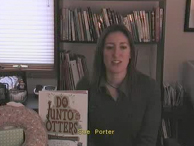
Presenter: Sue Porter and Laurie Keller
ASK (Author Specialist Knowledge) are special author interview videoconferences. Author Laurie Keller will demonstrate this process live as we connect to a classroom of students and will give the author’s perspective on the value of this program. Come meet Laurie Keller and bring some questions of your own!

As you can see, we have a great group of interesting sessions featuring videoconferencing. Hope you can stop by!