This post is part of a series of posts with some of the results from a survey of my top VC-using teachers. Read more about it in the first post of this series. Remember, they are using videoconferencing to support curriculum instruction (not full length courses).
The question featured in this post is the following:
What are the supports that are critical for you to keep on using videoconferencing?
This is a qualitative representation of the results using Wordle. Click the graphic for a larger version. This time instead of including all the words, I renamed them similar topics to the same words so that the results were more understandable.
To me, these results are a mandate to continue the following components of our videoconferencing program:
Our online registration which provides scheduling for most of the programs our schools do
Supporting, training, sustaining VC Coordinators, making sure they are replaced and trained if they leave
Providing resources, both print and web-based, to help teachers see how VCs match their curriculum
Offering free programs to our schools (ASK and collaborative projects) that are tightly matched to their curriculum, including the “boxes” that come with the ASK programs
Offering mini-grants to help pay for programs
Increasing access to VC in every school
Assisting principals and tech coordinators in the districts with supporting VC
How would your teachers answer this question? If you’re a teacher, do you agree with this list? What supports must continue to sustain your use of videoconferencing? If you support teachers, are you able to provide most of this support? Do you provide any other supports? What do you see as most important? Please comment!
This post is part of a series of posts with some of the results from a survey of my top VC-using teachers. Read more about it in the first post of this series. Remember, they are using videoconferencing to support curriculum instruction (not full length courses).
The question featured in this post is the following:
Comment on how you select and prepare for a videoconference.
This is a qualitative representation of the results using Wordle. Click the graphic for a larger version.
Curriculum and questions sure stand out, don’t they? Let’s look at a list of how my teachers find out about programs:
Check websites
I use the ISD website to search for programs that are available.
I go to the teacher who helps us in our building for help. VC Coordinator.
I use some of the same ones each year because I know the expectations and the results. I watch for Janine’s emails to see what is new that I can use, and I look for FREE ones.
I use the ones I have experienced. Interesting on these repeat comments. What hooked them the first time?
There is a print out at the beginning of the year that I try to find things that go with my theme.
What is their criteria for choosing?
Whatever is free!
I look for videoconferences that integrate with our learning.
Based on our GLCEs / curriculum. This came up again and again in various wordings.
Videoconferences that are at my students’ level.
Preparing for a videoconference can include:
Making sure they understand the content before the VC
I usually provide the students with guidelines and we vote on what medium or type of presentation to give. The students then work in groups to complete the presentations.
We prepare according to the instructions, formulate questions, discuss the topics etc.
As for preparing, sometimes the ISD sends kits for us to use or I check with the place holding the VC.
I expose my students to the information necessary for them to become fully engaged when viewing the decided VC. WE discuss and then prepare questions that can be asked or answered by viewing the VC to make it a much more richer experience.
Prior to the LEST WE FORGET conferences I will spend a class period providing background info or reinforcing prior learning of the war involved. We then develop questions based on student ideas of what they would like to hear more about.
Your Turn:How do you select and prepare for videoconferences? What resources and strategies do you use to help teachers select videoconferences? How do you help teachers prepare for videoconferences? Please comment!
This post is part of a series of posts with some of the results from a survey of my top VC-using teachers. Read more about it in the first post of this series. Remember, they are using videoconferencing to support curriculum instruction (not full length courses).
The question featured in this post is the following:
If you asked your students to fill in the blank: Videoconferencing is like ___________ What would your students put in the blank?
This is a qualitative representation of the results using Wordle. Click the graphic for a larger version.
Some of the teachers actually had their students answer the question, and they came up with very creative answers. See what you think of these:
… going on a cool fieldtrip without leaving our desks.
… eating double deluxe chocolate pie.
… playing the best video game ever.
… real live movies that we participate in.
… a rainbow on a Sunday afternoon.
… a fieldtrip coming to our classroom.
… talking to someone in the same room, even though they’re far away.
… school… only way better! 🙂
Do you get the sense that the students in these classes (where teachers have done 6-12 videoconferences in a year) found that videoconferencing enriched their learning and engaged them?
So, how would you answer this question? How would your students answer this question?Do you get the same reaction from your students? Please comment!
This post is part of a series of posts with some of the results from a survey of my top VC-using teachers. Read more about it in the first post of this series. Remember, they are using videoconferencing to support curriculum instruction (not full length courses).
The question featured in this post is the following:
Please identify and describe a key experience that helps sustain your use of videoconferencing.
This is a qualitative representation of the data using Wordle. Click the graphic for a larger version.
This Wordle is a great confirmation of Owston’s (2007) model on the sustainability of an innovation. He suggests that an essential condition (among others) for sustainability is that the students must support the innovation. Clearly these teachers see the value of videoconferencing to their students. Here are a few full quotes:
A key experience that motivates me to continue using videoconferencing is the fact that my students are able to communicate with other classrooms, authors, and educators around the world. –Wendy Zahrn, 4th grade, Sylvester Elementary, Berrien Springs
Connecting kids to experiences outside of our community without leaving the school! -Tami Miller, 2nd grade, Eagle Lake Elementary, Edwardsburg
The comments the students were making and the level of understanding they had was amazing. -Lacy Payne, 6th grade, F.C. Reed Middle School, Bridgman
The students enthusiasm! They love to VC. -Karen Ennesser, 7th grade science, Dowagiac Middle School, Dowagiac
These are interactive field trips that we don’t even have to leave the building for. Students walk away with new knowledge and experiences. -Dori Hughes, 2nd grade, Eagle Lake Elementary, Edwardsburg
When I see the students interact, with great interest, listening to the speaker or other classroom, I’m delighted to see their involvement. -Peggy Clore, 5-7th language arts, Coloma Middle School, Coloma
I LOVE videoconferencing! It gives my kids exposure to things we couldn’t otherwise do. It gives them practice in presenting & performing skills and is just so much fun! -Heidi Clark, 1st grade teacher, Three Oaks Elementary, River Valley
So, how would you answer this question?What keeps you going in sustaining the use of videoconferencing in your classroom or school? Please comment….
Reference: Owston, R. (2007). Contextual factors that sustain innovative pedagogical practice using technology: an international study. Journal of Educational Change, 8(1), 61-77. doi:10.1007/s10833-006-9006-6
After the discussions that arose from my posts last week about mentoring, I thought it might be helpful to share some of the ways that I work with the tech coordinators in our districts.
A Little History First, a little history. I’m at heart and by training a teacher, and the technology scared me at first. When we started with VC in 1999, my supervisor did all the technical stuff. I didn’t want to touch it. But over time I learned more about it, and sometimes say that I’ve learned more about networks than I ever wanted to know! Experience was my teacher. So I encourage you to try to learn what you can about how VC works on your network!
Background Knowledge
Word Wall in the Jazz Workshop
I really started to learn more when we made the switch to IP videoconferencing in 2005. An early workshop that I attended in 2006 was “Understanding and Troubleshooting Videoconferencing Networks.” I thought for sure I wouldn’t get anything out of it and that it would be over my head. But surprisingly, I’d experienced enough situations in our IP calls that I learned something and actually understood it! Some basic concepts (written in my lay language!) include:
IP numbers that start with 10. are internal addresses and people outside can’t call them.
Most videoconferences are at 384K. Compare that to the amount of available bandwidth on a typical day to know if you’ll be able to sustain a “good enough” videoconference.
Packets are little pieces of info sent over the network. In email the packets eventually get there, get together, and give you an email. But in VC, if the packets don’t show up in time, they get thrown away. Hence, packet loss. Usually 2% packet loss or higher becomes intolerable.
A NAT is network address translation, and both the codec/endpoint and the firewall/router need matching settings for NAT to work. This is because the endpoint/codec needs that info to set up the packets properly.
An IP videoconference call is set up on port 1720. After that the two codecs negotiate which ports to use for the audio and video streaming. This is what’s going on when it rings & rings.
If you’re using a gatekeeper, ports 1718 and 1719 are used to find and register with the gatekeeper. More on ports here.
It’s important that they understand the impact of VC on their network. See the notes above. Even if you don’t understand how it all works, it helps to know a bit of “techie language”, enough to explain what VC does. I’ve found VTC Talk a useful site to learn to talk to the technicians. It’s desirable to be able to point them in the right direction of what to do to make it work, and where to find answers.
It’s also important that those of us in VC realize that network technicians have legitimate concerns about the health of their network. Listen. Realize also that they are busy and usually overworked. Hear their side. Send them to third party resources (such as those above) to explain the issues in their language.
We try to do summer installations and upgrades if at all possible. During the school year, there are so many problems to fix, it’s hard to find time to learn new things or change network policies to make VC work. It can take 3-6 months to get VC working on your network during the school year. Better to do it in the summer.
Know your audience. Some tech coordinators in our districts came from the education side, and others came from business/technology. Some of them are interested and want to know a lot about how to use VC in the curriculum. Others know that the teachers want and use it, and all they want to know is what needs to be done on the network. Tailor your message accordingly!
Your Turn
What do you think? Do you use any of these strategies? Do you have any other tips? Please comment!
This is my first year participating in Leadership Day. The idea is to share “whatever you like related to effective school technology leadership: successes, challenges, reflections, needs, wants, etc.”
So I thought it might be helpful to share what principals in my service area do to support curriculum videoconferencing. I don’t think any of them actually do ALL of these, but it provides a nice menu of ways to support videoconferencing in the school.
Learning About VC
Kamloops, BC Superintendent visits the Jazz workshop
Watch a videoconference or two each year to see how students and teachers are using this tool
Subscribe to my email list with the “ads” of what curriculum opportunities are available
Scheduling every year or so a staff meeting overview of videoconferencing in the curriculum, how to sign up, mini-grants, etc. They schedule this with me.
Send the VC coordinator to initial full day training and to follow-up training as needed.
When the VC coordinator leaves or retires or isn’t working well, send another person to get the coordinator training. This full day training I offer in the fall every year.
Promoting VC
Find funding to assist in paying for programs
A few elementary principals each year encourage EVERY teacher to participate in a VC that year
One principal encourages teachers who aren’t using VC to include VC in their personal professional development plan
Have teachers share success stories during staff meetings.
Your Turn
How does your principal support videoconferencing in your school? Please comment!
Orland-Barak, L. (2005). Lost in translation: Mentors learning to participate in competing discourses of practice. Journal of Teacher Education, 56(4), 355-366.
Summary
This article focuses on the “competing discourses of practice” between mentoring and teaching. Instead of focusing on what is similar between the two, the author focuses on what is different, suggesting that mentoring for teachers is like speaking/learning a new language.
The study is based in the Israeli education system where there are formal programs with “school mentors” for new teachers within a school, and “outside mentors” who are assigned to a school and often teach part-time elsewhere. The mentors observe, evaluate, organize and conduct workshops, lead staff development, and assist with curriculum.
Challenges in this role include:
Finding it diffcult to implement a new curriculum in their own class while trying to mentor novice teachers in the same thing
A dual sense of accountability to teachers and principals/inspectors
Trying to make sense of being a mentor and being a teacher and differing behaviors for each
They believed in mentoring as “collaborative and democratic,” but their actions were more “prescriptive and controlling”
They might be an expert in teaching, but a novice in mentoring, which causes dissonance
Skills mentors need:
Confidence in themselves and their profession
Ability to develop relationships with teachers
Evidence of master in their content area
Ability to understand the “power relationships with new accountabilities”
A clear vision of what it means to be a good professional in changing contexts
In this study, the education system is centralized and focused on product, whereas the universities are focused on process. This scenario pulls the mentors in different directions.
Application to VC
Similar challenges?
Do educational service level agency VC support personnel or our VC coordinators run into any of these challenges?
Are there any competing expectations that make life difficult for our VC coordinators in the schools?
I haven’t heard anything that sounds quite like the level in this study. However, there may be similar challenges:
Competition for Time: VC Coordinators who support VC on top of their regular job (teacher coordinators and media specialists who teach full time)
Competition for Tech Integration: VC Coordinators who are responsible for promoting and supporting the integration of technology in their school. Is there enough time for VC plus all the other technologies?
Competition for Curriculum: A tightening of the curriculum with little room left for creative teaching.
Your Turn
What do you think? What are other challenges that school level VC coordinators face in trying to mentor teachers to use VC in the curriculum?
Margerum-Leys, J., & Marx, R. W. (2004). The nature and sharing of teacher knowledge of technology in a student teacher/mentor teacher pair. Journal of Teacher Education, 55(5), 421-437.
Summary
This qualitative study examined the mentor relationship between a student teacher and her mentor teacher, in the light of teacher knowledge (content, pedagogical, and pedagogical content knowledge), and the use and application of educational technology.
Educational technology is an area in which mentor teachers are eager to access content knowledge held by student students. … They also perceive that student teachers’ teacher education coursework will have contained more educational technology information than their own coursework (Margerum-Leys, 2004, p. 423).
Student Centered Learning & Information Technology
Another interesting quote makes connections between the move from computer as a logic teaching tool to a information and communication portal and the movement towards student-centered learning environments. The author suggests these two have occurred in parallel.
Sidenote: This article is from a dissertation written in 2002. The author suggests education is moving from acquiring hardware to focusing on educationally sound applications. Are we now focusing on the “acquiring of tools” still to the detriment of focus on educationally sound applications? I’ve heard rumblings of this from the recent NECC. Something to think about.
Learning to use the remote in the Jazz workshop
Learning From Each Other
The heart of the mentoring relationship in this study is that student teacher and mentor teacher learn from each other, and sharing knowledge about educational technology creates professional development on both sides of the relationship. In several example scenarios shared, one modeled a lesson for the other, and the other then taught that same lesson in later periods (it was a middle school with 5 sections). Sometimes the student teacher took the lead with a new technology tool, and sometimes the mentor teacher took the lead. The mentored each other throughout the process.
The mentor teacher took the lead in pedagogical and classroom management.
The student teacher often (but not always) took the lead with content knowledge of educational technology.
Pedagogical content knowledge
The author defines pedagogical content knowledge for educational technology as the
knowedge of appropriate instructional strategies specific to the implementation of technology-enhanced learning activities. (Margerum-Leys, 2004, p. 433).
The development of this knowledge builds on existing knowledge of content and pedagogy. The author suggests this can best happen by placing student teachers where there is access to technology and they can learn to use it well in the classroom.
Teachers Plan a VC Lesson Together
Application to VC
Pre-service teachers. Wouldn’t it be great if all pre-service teachers could experience VC in their student teaching? With only 30% of schools in the U.S. having access to VC, it may be unlikely. But what are YOU doing with the local universities to make sure student teachers experience VC? Two of our local universities have VC experiences at Berrien RESA every year. Roxanne’s Bluebonnet program is another model.
Learning to integrate VC in the curriculum. It’s obvious from this study (and our experience) that you can’t just teach a teacher how to dial, click, type, hit buttons. There MUST be some modeling and learning how to use it in the curriculum. You can’t expect teachers to make the jump from “here’s a tech/tool” — now figure out how to use it in the curriculum.
Mentoring. We’ve talked about this already, but mentoring includes modeling and assistance on how to use VC in the curriculum.
What do you think? What is included in pedagogical content knowledge for using videoconferencing? Do you have a relationship with the local university that helps teach pre-service teachers about VC? Please comment!
Article Reference
Gibson, J. W., Tesone, D. V., & Buchalski, R. M. (2000). The leader as mentor. Journal of Leadership and Organizational Studies, 7(3), 56-67.
Summary/Interesting Notes Leaders nowadays are “coaches, facilitators, and team leaders.” One of the most potent ways to influence someone is to mentor them. The variety of ways of mentoring are usually related to the goals of the organization. Informal mentoring could include teams (think Jazz) and luncheons (think Roxanne’s end of year celebration).
Why people become mentors can be explained by the social exchange theory (think of a relational calculator of costs & benefits) and the communitarianism theory (people help others without direct personal benefit to build up the community).
Wheatley (1999) suggests that leaders are evaluated by the number of new leaders they develop.
Dancing in the Jazz Workshop
A master is defined as someone who started before the learner (Zukav, 1979, 1990) In the ancient tradition the job of the master is not to teach, but to dance with the learner. In this sense the master is following the learner’s path of inquiry by presenting only the information that is asked for by the learner. The master begins this dance with the essence of the knowledge, the core of what there is to know and builds outward from that core in directions driven by the learner (p. 61).
Enforcing mentoring or formal mentorship programs tend to have more challenges than informal mentoring.
The paper included a focus study group with 10 managers from hotels and independent properties. They found effective practices for mentors:
It’s best to learn to be a mentor by being mentored
Informal mentoring is more effective than formal programs
Informal mentoring is for all levels, not just new employees
There are only three ways to learn management: trial and error, modeling and mentoring; mentoring is the most efficient way to learn
“Mentoring is the leader being the master of learning – and learning is the leader sharing the essence of a lifetime of experience.”
Application to VC
Yesterday we thought about the VC coordinator mentoring teachers. Today, think about the district level or educational service agency level person mentoring the VC coordinators (in light of a complete support structure).
Cost/Benefits
What are the cost/benefits to providing mentoring to your VC coordinators?
I see the costs as mostly time, but the benefits are the schools using VC more, and the VC coordinators becoming more independent.
Building the Community
How are you building up the community of VC coordinators in your area?
I like Roxanne’s model with user groups where the coordinators get to know each other and share tips with each other. They learn from each other, not just from Roxanne. Read more here, here, here, here, and here.
Dancing with the Learners
How areyou dancing with your VC coordinators?
“The master is following the learner’s path of inquiry by presenting only the information that is asked for by the learner.”
How are you providing just-in-time learning?
For me, this means starting each year with a VC coordinator training (which I hope to take national this fall. Interested?). Then, I offer other trainings, usually again in the fall. Short bits of: Scheduling, Troubleshooting, Using Your Document Camera. Usually 2nd or 3rd year coordinators attend these trainings. Then of course there is all the phone calls and quick VC advice sessions throughout the year as needed.
What about non-functioning VC Coordinators?
As I think through this process, I’m starting to think more about my coordinators who don’t take advantage of these services. Whose schools aren’t using VC very much. I don’t usually think about them because the others keep me so busy. But as I reflect over the summer, I wonder how I can pull them into the learning community?
Your Turn What do you think? Do you support VC coordinators? How are you “dancing” with them?
So here’s my dream scenario for supporting VC in schools. There are ways to adapt this structure if your scenario is missing a piece or two. See if this matches what you find as successful in your area.
Jazz Workshop: Teachers and Coordinators Learn to Use VC
Educational Service Agency Level
A curriculum integration person, who helps teachers integrate VC in the curriculum, trains the school VC coordinators, creates resources to support VC in the curriculum, and facilitates original programs for the schools.
A technical support person, who runs the MCU (if applicable) and assists the districts in getting VC to work through their firewalls, explains how VC works to the district techs, troubleshoots videoconferences, finds alternative ways to connect a VC if the school can’t do it on their own, upgrades software on the endpoints, provides just-in-time training to the district technical personnel, etc.
Examples:
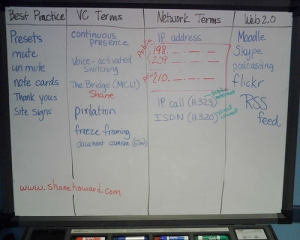
Roxanne Glaser, ESC 12, and all her programs (Monster Match, award winning Texas Twisted Weather, etc); with Shane Howard, award-winning tech as bridge support
Technology Coordinator. At the very least, the technology coordinator needs to be aware of videoconferencing, the benefits to student learning, it’s impact on the network, how to make VC work through the firewall, how the cables are hooked up to the projector/monitor etc to assist when problems arise, how to dial, and basic videoconference troubleshooting.
This person needs support from the ESA level tech person as they often are so swamped with every day technical support that they don’t have time to learn the intricacies of making VC work on their network.
Ashton Graham Mentors During the Jazz Workshop
School Level
VC Coordinator who is supported by the people listed above.
The VC Coordinator has many names: site facilitator, cart manager, etc. and could be the librarian, media specialist, a couple of lead teachers, the school technology facilitator, a media paraprofessional, or even a secretary. I have two coordinators who are secretaries – they are in small schools with limited staff.
I don’t think any of these positions need to be full time for videoconferencing, except if possible at least one person at the educational service agency level or district level if the district is large.
In very large districts, the educational service agency level support is provided at the district level.
In some cases, schools receive some of the educational service agency support from organizations such as CILC and TWICE.
Your Turn: What do you think? Do you agree? How does this match up to your area? Are you missing any of the pieces? How could you work to fill the gap?
Or another question might be: Is this support structure unique to VC? or is it helpful in all educational technology implementations?
Or another question: What other great examples do you know of where these structures are in place?