Do Beliefs About Learning Affect Installation of VC?

Today we had a vendor come in to write up specs to upgrade our distance learning room. We use this room for interviews with vendors, sharing with community/government organizations for workshops, private schools coming in to connect to content providers and collaborations, professional development and meetings, and more.

The vendor was surprised that we didn’t have a row of four monitors on the back wall and a podium for instruction.

As my supervisor and I were discussing his visit, I suddenly made a connection to my current studies about learning theory.

If you believe in direct instruction/lecture/”talking head” learning, how would you install videoconferencing?

If you believe in constructivist learning or social constructivist learning, how would you install videoconferencing?

What do YOU believe about learning? Is it reflected in your installation of videoconferencing equipment? Please feel free to comment!

eTech Conference, OH

Greetings eTech Conference participants! Here are the links and resources mentioned in my session today.

Collaborations Around the Planet

Read Around the Planet

Information for Collaborations

More Information

Church Next Book Review

I’m now starting work on my 5th competency:  Servant Leadership in Technology Facilitation and Collaboration. As part of my work for this competency, I’ll be sharing some book reviews.

Malphurs, A., & Malphurs, M. (2003). Church next : using the internet to maximize your ministry. Grand Rapids, MI: Kregel.

Summary
The book begins with a summary of the problem of American Christianity in decline, with statistics and descriptions of the problem. Next the authors discuss issues of reaching the buster and bridger generations (also known as Gen X and Gen Y). They propose a theology of change which makes a distinction between the functions of the church which are Biblically mandated (i.e. mission, worship, and the “together” mandates), and the forms of the church, which may change in different cultures and different times. In this section, the authors also describe the concept of postmodernism and how it affects how current generations view church and are reached by the gospel. Finally, the book ends with a review of the importance of the Internet, how the Internet works, and specifically how to use the Internet in ministry.

Principles Learned
Since I’m already very comfortable with the Internet, the sections explaining it were mostly review and I skipped over them. However they are well written for lay and clergy who are uncomfortable with the Internet. The main contributions from this book for me were the background principles that provide a “why” for using the Internet for ministry.

  • Some of the church’s functions which are mandated by the Bible include: teaching, fellowship, breaking of bread, prayer (Acts 2:42); community (Acts 2:44-45); worship and evangelism (v 47).
  • Examples of forms include meeting in house churches (Act 2:46, 8:3, 12:12), meeting in the temple (Acts 2:46).
  • Forms can be understood as the method of ministry. Paul set an example of “becoming all things to all people” and adapting to the needs of those he meant to reach (1 Cor 9:22).
  • Forms may fit along a continuum of legalism to liberty to license. Legalism puts restrictions on the church that aren’t found in Scripture (i.e. what time to meet). Liberty is freedom within God’s law/Word. License removes any Biblical restrictions.

These principles and ideas form the basis of a theology of change and therefore reasoning on why to use the Internet in ministry.

Ideas Gleaned
I’m already involved in my church’s web ministry (www.pmchurch.org) and (www.pmchurch.tv) and we are doing many of the things listed in the book. On page 131, the authors list some ways that churches are using the web for ministry:

  • Encourage visitors to attend their church (we’re doing that)
  • Post mission statements, sermons, text concerning faith (we’re doing that)
  • Links to denominations and faith-related sites (we’re now discouraging this due to link-rot)
  • Links to Scripture studies or devotional material (we’ve dabbled in this and could revisit it)
  • Post schedules, meeting times, communications (yes, email announcements, but need to get more people to sign up for the listservs)
  • Post photos of events (mixed success on this; it’s hard to do consistently and keep fresh)
  • Post youth group material (we’re doing that)
  • Material promoting missionary work (our TV ministry does this)
  • Seek volunteers for congregational work (new “Get Involved” section does this)
  • Provides space for prayer requests (we’re doing this)
  • A sign-up feature for classes/programs (we do this for the women’s ministry programs)
  • Allows online fundraising (not doing this with very specific reasons why)
  • Webcasts worship services (we’re doing this, but not live)
  • Provides discussion spaces for study or prayer groups (not doing this)

As I read through the ideas, I realized that I’d really like to see us find ways to minister to those getting the podcasts. Is there a way we could connect them in to online small groups? We have some other seminars that would make great little online group studies as well. I wonder how the FAST scripture memorization group is doing with their new online training. I think we could develop some cool things with this, if a few people had time to commit to it. I wonder if anyone would pay for it to help cover the cost? Or if donations would cover the cost? It’s certainly something to keep considering.

This was a useful book to explain WHY a church should be using the Internet, and had suggestions for even veteran online churches.

Day 20: Just Do It

20 Days to Being a Better VC CoordinatorNow we have come the the last day of our challenge. We hope that you have learned some tips to help you coordinate videoconferencing within your building and assist your teachers.

Our last challenge to you is “Just Do It”. Many times we find that people wait until every little detail is perfect until they begin to try to use the technology. Once you know that your equipment is operational, get started doing something. Find a teacher that is curious and adventurous and ask what he or she is teaching during the spring semester and find a connection that fits into their curriculum. Before you know it, you will have active videoconference participation.

We have heard from several of you that you have enjoyed reading along with us this month. Let us know if we have missed things or if there are other topics that you would like us to address. We have learned much about collaboration during this blogging adventure and hope that you have learned along with us.

Comment Leave us a note about what you learned or how you plan on using this information. If you are a “first time commenter”, click the link that says Comments and post your thoughts for us.

How to comment on my blog:

janine-blog

How to comment on Roxanne’s blog:

comment-on-rox

May the connection begin on time.
May the batteries in the remote not run down.
May the video move fluidly and the audio be a robust sound.
Here’s wishing you many quality curriculum connections in the months to come.

All the best,
Janine and Roxanne

Day 19: Now, Participate in Megaconference Jr.

20 Days to Being a Better VC Coordinator

Now that you’ve been through this little training experience, it’s time to join the global learning community!

Megaconference Jr. is one of THE videoconferencing events of the year for K12 videoconferencing. It’s a 12 hour videoconference, facilitated by students, with student presenters featured. An incredible global experience, a chance for networking with other schools, and an opportunity for learning what other schools are doing with VC.

What to Expect on February 19, 2009

Because this is a large videoconference with many sites participating, it’s quite different than point to point experiences. So make sure you come into the experience with appropriate expectations.

  • You will see 30 minute sessions on all kinds of content and topic areas. The presentations come from elementary, middle, and high school students.
  • You will see a variety of presentations styles and tools. Some you’ll learn best practices; others you’ll have ideas on how to improve the presentation. Take it as a learning experience for everyone.
  • You will NOT have perfect audio and video. You should lower your expectations for the video quality.  This is partly due to the huge number of sites connecting and the variety of bandwidth capacity represented.
  • Megaconference increases the opportunities for global education. So INCREASE your expectations for global learning, and increase your patience and tolerance for international connections.
  • You will also see that some participating sites are new to VC and don’t know how to behave. i.e. MUTE your microphone in a multipoint. Take it as a learning lesson of what not to do. And make sure you are MUTED unless you’ve been called on to ask a question or interact.

Make the Most of Your Participation

  • Set up Megaconference in your library and have different classes come in and out throughout the day as they have time. Take the schedule and share it with your teachers. But warn them to be flexible because sometimes Megaconference gets off schedule due to the realtime nature of the event.
  • Make it an event to showcase the possibilities. Invite teachers and administrators to view.
  • Offer refreshments.
  • Have prizes. Make a geography game of it. Who can identify the location of the presenting site?
  • Hang up a large world map and have students mark the locations of the sites presenting throughout the day. Print the participants list (after registration closes) and have students find and mark the participating sites on the map.
  • If you’re not an interactive site, pretend that you are. Have the students answer the questions (but stay muted!).

Registration Choices

  • You can sign up to be a view only or “not interacting” site. Some schools prefer this for getting their feet wet.
  • Or you can sign up to be an interactive site. 3 schools get to interact in each session. The interactive spots go quickly, so hurry if you want to do this.

Comment Challenge

  • So, take a moment now to sign up! (If you usually register for VCs through someone else, you may want to check with them first on how you should register.)
  • If you have a story or suggestion for participating in Megaconference Jr., please comment and share!

Day 18: Uh Oh, It Doesn't Work!

20 Days to Being a Better VC Coordinator

One of the scariest things about videoconferencing is when it doesn’t work and you have a classroom of students waiting. Yesterday Roxanne gave you some great tips for accessing your lifelines. Today, we’ll examine the most common problems in a videoconference and give you tips for solving them. This is actually part of a training that I conduct for my coordinators, and we try to simulate each problem during the training.

First, there are four parts to a successful videoconference: sending video, receiving video, sending audio, and receiving audio. Most of the common problems related to one of these four parts.

The solutions under each problem are listed in order. The top ones are the most common solutions to the problem.

TV is Black / I Can’t See / I See Black / I See Blue

  • Check the TV/monitor/projector. Is it on and is it connected correctly? Some of my coordinators keep a picture or drawing of how all the cables are supposed to be connected.
  • Check the monitor. Is it on the right channel? Make a note for yourself on which channel it should be.
  • If you were able to see the dialing screen/menu before you connect, then it’s not your TV/monitor/projector. A blue or black screen is often a firewall problem on either end of the call. Try one of these test numbers to make sure you can connect outside your district on your own. Have the other site try connecting somewhere else too. If you can both connect to other places but not to each other, it’s probably a firewall problem. If you have access to someone with a bridge/MCU, ask them for help (usually at your educational service agency).
  • Once in a while the flat screen TVs won’t cooperate. If so, unplug the power, wait, plug it in.

Audio: I Can’t Hear

  • Check your TV/monitor volume. Check your videoconference system’s volume too. Both should be about in the middle (if your system uses both).
  • Have the other side check their microphone. If you see a Far End Mute icon, you know their microphone is muted. (This only shows up in point-to-point calls). Ask them to unmute. Tell them you can’t hear. Have them nod their head or wave if they can hear you.

Audio: They Can’t Hear Me

  • Check your microphone. Are you muted? Check your screen – usually you’ll see an icon if it is muted. Or Polycom microphones are muted when the light on it is red. Unmute so the far site can hear you.
  • Their TV volume might be turned down. You may have to write them notes on a sign to hold up in front of the camera or write on paper under the document camera. (Or call them on the phone.)

They Can’t See Me

  • Have them check their monitor/projector/TV. Is it on & on the right channel?
  • It may be a firewall problem on their end. See “I Can’t See” above. Have them try connecting to the one of these test numbers. They should determine if they get a picture and then call you back again and report. If they can’t see a picture on your system or the test site, they should talk to their tech person. If you can both connect to other places but not to each other, it’s probably a firewall problem. If you have access to someone with a bridge/MCU, ask them for help (usually at your educational service agency).

Call Rejected or Busy Signal or Call Rings & Rings

  • If you call and get a “call rejected” error, usually the other person is already in a call.
  • If the call rings & rings, usually something in the network between you & the other site is not allowing the call to negotiate. Both sides should try a test site. If your test call just rings & rings, then it’s not connecting through firewalls. If you have access to someone with a bridge/MCU, ask them for help (usually at your educational service agency).

Alerts: What Do They Mean?

  • IP Network: If this is down, then you don’t have a live Internet connection. Try another Ethernet jack in the room. Using a spot where a computer was connected and working usually guarantees a good connection.

When All Else Fails, Reboot or Redial

  • If you have a lot of connection problems, sometimes redialing will help clear it up.
  • If nothing is working, reboot the camera. Turn the camera off (reach up!!), wait, turn it back on.

Polycom Specific: “Flippy-Do-Button”

My schools all have Polycom endpoints, and another common problem is when you accidentally get yourself in the big screen and the far site in the picture-in-picture. How do you switch it back?

This happens with the button that I call the “flippy-do-button”. I’m sure there’s a more technical term! 🙂 On a VSX7000, if you press the Camera button while you are in a call, you’ll see an icon with two arrows pointing around. If you select it, you’ll swap the far and near pictures. It’s easy to change it accidentally by pressing the camera button and then 1 or the enter key. To get it back, just press Camera, 1. Whew!

Comment Challenge

  • Take this Word file with basically the same information presented here. Fill it in with your favorite test site number and your videoconferencing support number. Add the channel for your TV/monitor (if applicable). Then tape it to your videoconferencing cart in a prominent location.
  • Please comment and add any other troubleshooting tips you have.

"A Collaboration Nation"

In an “open letter to our government leaders,” Wainhouse Research recommends that the United States aim to be a “collaboration nation.”

The impact of turning the United States (or any other country) into an e-nation with an extensive telecommuting program could be sensational in turns of its high return, low cost, low risk, and immediate effect. Replacing 20M automobiles (a fraction of what is on the road today) with hybrids would cost approximately $500 billion while the investments to enable 20M telecommuters would be on the order of $2.5B. Taking 20M cars off the roads on a daily basis would save on emissions while also lightening the load on our nation’s highways.

A federal-government lead effort to become a “collaboration nation” should go a long way towards ridding our dependence on foreign oil and liberating our foreign policy, improving the environment, and helping the United States regain its leadership position in the global economy.

Read more here. What do you think? Visionary? Extravagant? Crazy? Are we too stuck on face to face communication? What do YOU think? Please comment….

Day 17: Your Lifelines

20 Days to Being a Better VC CoordinatorGuest blogged by Roxanne Glaser

Videoconference coordinators come in all forms in our schools. We have teaching assistants, librarians, campus technologists, technology directors, classroom teachers, and administrators. As we have mentioned earlier, the one commonality is that the majority of them have full time responsibilities in another capacity.

Bottom line: Everyone is busy.

How can you help a teacher during the time of the connection?

Best way to help: Stay in the room with a newbie to videoconferencing so that you can talk them through the first connection. You should know if you have to dial a number or if the other site is going to dial to you. Be sure to talk your teacher through his or her first couple of connections to orient them to both the technology and the ettiquette.

“Here is how we dial the connection. Here is how to mute the microphone. Move the paper away from the microphone. Sometimes the picture does freeze a bit–that is okay. Do you have questions prepared for the connection? “

If you cannot be there, try to at least get the unit connected and microphone muted.

When you have to leave, provide the teacher a lifeline and a plan.

1. Make a sheet with the phone number of whoever they are connecting with (content provider, other school, bridging service, etc). Put the phone numbers in order of which to call first. If you are connecting through a bridge, you will start with the bridge that you connect to and then they can assist at that point.

2. Remind teachers to have something for the students to work on in case there is some wait time due to technical difficulties. Some of our classes review content for presentations. If it is the other site having issues, you can also check presets on your camera. Math fact quizzes, spelling words, 20 questions, or other content related sponge activities also work well.

3. If there is not a phone in the room (or a teacher cell phone), send a student to the office (or nearest phone that you can dial out on) with a hall pass with the phone number to dial and a description of what the problem is.

One Final Note:

If you know that the people you have been working with on this project or connection use Skype (or another IM program) and you have already used this method to communicate with them. Use it now. Skype is also great for supporting international connections.

Comment Challenge

  • Create a “lifeline template” to use for your connections–include phone numbers, technical information, time and date of connection.
  • Super Duper Challenge–Add a brain quest game, story book, etc on your videoconference cart in case the teacher forgets to provide a back up plan.

ASK: When Donkeys Fly

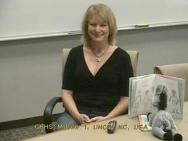
Ginger HodgeToday we’re trying out a new author for an ASK program on her book When Donkeys Fly. We have a variety of 1st-3rd grade classes from Macomb and Berrien areas participating. Ginger Hodge lives in South Carolina, and we found a site for her to videoconference from at the University of North Carolina at Charlotte.

Here’s a sample of the questions from today. In each session, the classes often ran out of questions. Ginger was good at short concise interesting answers.

  • Have you ever done any of the things that the girl in the book wanted to do?
  • Where did you get the idea for the book?
  • How long did it take to write the book?
  • How old is the dog on the cover?
  • What is your favorite page in the story & why?
  • Why did you put a donkey on every page?
  • What do you like about being an author?
  • We love your book. What made you want to become an author?
  • What should we do when someone tells us, “when donkeys fly”?
  • Do you have a special writing place?

At the end of the program, Ginger surprised the kids by singing a song for them based on the book. The kids loved it! We’ll definitely be scheduling more of these sessions!

Day 16: Quality Connections

20 Days to Being a Better VC CoordinatorGuest blogged by Roxanne Glaser

Schools’ resources are valuable and must be spent wisely. Resources are both staff time and money. Here are some tips about evaluating the quality of your connections so that you can spend your time and money wisely.

Top 3 Quality Indicators for Curriculum Videoconferencing Connections

1. Are you teachers and students actively engaged during the connection? Some connections are compelling as VIEW ONLY, but the majority of the connections that I have participated in where students learned the most were connections where they were participating in a challenge, a quest, a lesson, or asking questions.

2. Are teachers and students provided with quality program materials and resources prior to the connection?
COSI Columbus provide amazing kits with their connections. The kit for the knee surgery comes complete with 30 student viewing guides, hammers, glitter bug lotion and much more! Greenbush sends live Madagascar Hissing Cockroaches for their program. Center for Puppetry Arts provides patterns and instructions for all the preparations needed for their programs.

CAUTION: Materials that have to be shipped back to the provider at the expense of the school can be a pain for coordinators to manage. Be sure to ask about materials or kits to make sure you can keep them or if they need to be sent back.

3. Is the challenge and instructional level appropriate for the students? I am always skeptical when I see a program listed as available for K-12. SeaTrek has a chart showing programs that will work for a certain grade level. NASA Digital Learning Network lists programs for K-12, but in the lesson materials they are divided as K-2, 3-5, 6-8, and 9-12. That tells me that they have adapted the materials and the language so that it is appropriate to the different learning levels.

TWICE has a great document for a more comprehensive look at quality indicators of a videoconference field trip or program. http://www.twice.cc/media/QualityIndicators.pdf

Many content providers have program evaluations to be completed by the classroom teacher after the program. Make sure that your teachers take time to complete these. Content providers use that data to improve programs and in some cases secure grant funding to provide free programming to schools.

Classroom Evaluation of Learning Processes

Teachers can use evaluation strategies with their students to ensure learning is occuring and to improve classroom management for the next connection. As a Tribes trainer, I believe in the group dynamics of learning and the power of reflection in the learning process.

What did you learn about the content?
(including preparation and presentation skills) This rubric was created by Tracy Poelzer from British Columbia and can be used with MysteryQuest connections.
link to MysteryQuest rubric by Tracy

What did you learn about the technology?
How did connecting with other classes or experts enhance your learning? Would this have been better done with the class next door or did using the technology impact how you learned?

What did you do that contributed to your learning?
Be specific here. Focus on the behaviors that you want to nuture during the next connection. These can be explicitly taught by using the “Looks Like, Feels Like, Sounds Like” strategy. Make sure students know what these abstract behaviors will be during the connections.

  • Did you listen to others in your group or the presenter?
  • Did you participate fully?
  • Did you value other people’s ideas?
  • Did you work well together with others?

See page 38 in the Planning Kid2Kid Videoconference Projects booklet for more evaluation ideas.

Comment Comments

  1. Which content providers have you found that have excellent preparation materials?
  2. Who are your favorite content providers providing quality programming for PreK-2, 3-5, 6-8, or 9-12?