Category Archives: Videoconferencing

ASK: The Wall

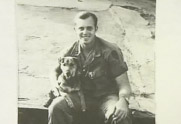
09-05-19vietnam1Today we have a panel of Vietnam veterans answering students’ questions. Students prepared using the ASK process. They read the book, The Wall, then journaled and wrote questions, then picked their best questions.

Last week we had high school students for the Lest We Forget program. The veterans commented this morning that middle school students haven’t learned to be politically correct yet and they find that refreshing.

  • 09-05-19vietnam2Did you ever lose hope? Answer: Never! If we got discouraged, we just worked harder.
  • What kind of conditions did you face on the battlefield?
  • If you could meet a Revolutionary War solider what would you tell him?
  • What was your rank in the army?
  • What was the scariest thing that happened while you were there?
  • If you could go back and do something different, what would you do?
  • What kinds of food did you eat?
  • 09-05-19vietnam3Do you have any tips of what to do in boot camp?
  • What kind of medals did you get?
  • What did you do for fun while you were in Vietnam?
  • What were your sleeping arrangements?
  • How long were you there and how long were you supposed to be there?

We connected to 10 schools and the veterans answered 84 09-05-19vietnam4 copyquestions in 4 sessions. Students from Allendale Middle School made a wonderful sign to thank the veterans at the end of the session. They really appreciated it!

This was our last ASK program for the school year. We’ve had a great selection of books, authors, and specialists for the students to interview. Now it’s time to plan for next year. For you, too! This is an easy ASK program to do, and builds a good relationship with your community. I encourage you to try it!

RUS Grant Celebration

Guest Blogged by Dennis Lundgren, Berrien RESA Director of Instructional Technology

On Monday, May 11, 2009 Berrien RESA Superintendent Jeff Siegel hosted a fabulous celebration of the completion of our $350,000 RUS grant (USDA Rural Utilities Service Distance Learning and Telemedicine Grant). We honored the schools, Principals, Tech Directors and building videoconferencing coordinators with a reception and awarded plaques from Berrien RESA.

RUS Grant CelebrationSpecial guests and speakers included the field representative of our US Congressional Representative Fred Upton (minority leader of the Internet and Telecom subcommittee), our State Senator Ron Jelinek, one of our State Representatives, Sharon Tyler, and we read a letter from another State Representative, John Proos. Rep. Upton and Rep. Proos do annual videoconferences with high school government classes. Three members of our Board of Education also attended.

Michelle Asmus, Howard-Ellis receives the award.Janine and I facilitated schools receiving their plaques from our Superintendent Jeff Seigel and the legislators. The school folks were very appreciative of the recognition.

A highlight of the event was a presentation by Dr. Dennis Rudy, President of Lakehouse Evaluation. We contracted with Lakehouse Evaluation to conduct an evaluation of the grant. He shared a dynamite executive summary. The report is very powerful – we delivered a quality program and we have the documentation to show the success.

Types of Interaction

I’m still thinking about the next version of the projects booklet for this summer’s workshops. I’m thinking about types of interaction. What kinds can you think of? Here’s what I have so far:

  1. Presentation followed by Q&A. The basic exchange used in MI Week Exchange (the original exchange started in 1997), Read Around the Planet (which was based on MI Week Exchange), etc.
  2. Participation in each other’s presentations. This includes the snow ball fights, doing the actions along with the presenting class etc.
  3. Interacting with the other class’ content. Game shows, quiz shows, any academic challenges.  Data collection projects. Role playing, mock trials, etc.
  4. Using the other class’ presented information to do something with it. MysteryQuest, Texas History Mystery, etc.
  5. Hands-on interaction. Gadget Works from COSI Columbus, and making puppets at the Center for Puppetry Arts.
  6. Bringing created objects to share and interact with. Monster Match, sharing worm farms, growing gardens, design projects.
  7. Dialogue, discussion, debate. True spontaneous conversations. Usually on hot topics: GNG’s discussions of hot topics, and MAGPI’s issue discussions.

Can you think of any other types of interaction? What am I missing?

Creating New Marzano VC Project Templates

As part of my studies, I’m looking in depth at Marzano’s Instructional Strategies That Work. To learn more, I recommend the following books:

As you know, I’ve been sharing/publishing the Planning Kid2Kid Videoconference Projects booklet for the last 3 years. For this summer’s revision, I want to add templates for Marzano’s instructional strategies. As I’ve learned in a workshop on Marzano’s strategies, we as teachers may feel that we’re using that strategy already. However if we can improve and refine our practice of that strategy, we can raise our students’ achievement. So it seems worth our time to consider how we can create videoconference project templates that can refine our use of these instructional strategies.

Note to content providers: To those content providers reading this blog, I encourage you to evaluate your current programs to see how these strategies could also improve your practice!

The 11 Strategies

The Using Technology with Classroom Instruction That Works book reorganizes Marzano’s original nine strategies into eleven. Setting Objectives and Providing Feedback are split in two, and Reinforcing Effort and Providing Recognition are split in two. In addition, the strategies are reorganized around four guiding questions as follows.

What will students learn?

  • 1. Setting Objectives

Which strategies will provide evidence of student learning?

  • 2. Providing Feedback
  • 3. Providing Recognition

Which strategies will help students acquire and integrate learning?

  • 4. Cues, Questions, and Advance Organizers
  • 5. Nonlinguistic Representation
  • 6. Summarizing and Note Taking
  • 7. Cooperative Learning
  • 8. Reinforcing Effort

Which strategies will help students practice, review, and apply learning?

  • 9. Identifying Similarities and Differences
  • 10. Homework and Practice
  • 11. Generating and Testing Hypotheses

Invitation
So as I think about these strategies in the next 11 posts, I encourage you to comment and share your thoughts, ideas you have, and questions that are raised. Let’s create some new ideas together!

The Circle of Sharing & Learning

Give and it shall be given unto you… (Luke 6:38).

This week for my studies I’ve been thinking about collaboration, and I’ve been getting ready for the beginning of 5 weeks of MysteryQuests and HistoryQuests starting April 20.

The “quests” started with us participating in Where in the USA with LearningSpace, an organization that closed its doors in 2004. Soon after we started running our own MysteryQuest USA, MysteryQuest World, and this year we added HistoryQuest5 and HistoryQuest8 to address new MI curriculum needs.

In the meantime, several spin-offs occurred, starting with Joan Roehre‘s Wisconsin History Mystery. She asked for permission to adapt our materials. So did Roxanne and Angela with Texas History Mystery, and Heather with MAGPI’s MysteryQuest USA.

It’s taken a few years, as they have grown their programs, but now the learning is coming back this direction. It circles around.

PPTs for Facilitation
Last fall I facilitated a Landmark Challenge for Roxanne and discovered the beauty of PowerPoint visuals to supplement the visuals. I’m a visual learner, and have a hard time with audible only instructions. Why didn’t I think of that before? So this week I asked Roxanne for her Texas History Mystery PPTs so I could get them up and running for my quests next week. The PowerPoints include:

  • A reminder to mute
  • The agenda
  • List of schools/teachers participating
  • Some little puzzles to guess related to the topic
  • A reminder on materials

Tips for Camera Ready Presentations
Heather just posted a great list of tips for camera ready presentations. I’ve incorporated this link into my “presentation reminders” email for my quests. What a great list!

So, are you wondering if you should share “your stuff”? Then… my answer is, YES, of course! The returns will come back to you eventually! As others use, modify, and improve “your stuff” it gets better!

What are YOU sharing with the K12 videoconferencing world?

Enhancing the Distance Learning Experience with Podcasting

This TxDLA session is by Shirley Boyd and Debbie Alston. (Wednesday afternoon; posted Thursday due to lack of Internet access.)

Videoconferencing is all about making connections. Their early connections included a videoconference with students in Iraq.

Podcasting benefits students by finding a way for them to respond to the curriculum, improves their writing schools, improves their self-esteem and gives the students a voice. Can use universal design with the same tools to meet the needs of all students.

We can connect our classrooms one at a time to the world. With podcasting as a follow-up they can become friends with the partner class. As they become friends, we can have peace instead of war because the students understand each other.

You can do an audio podcast, an enhanced podcast with pictures or other content, or a video/vodcast. You could use the interactive whiteboard files to save and export to a podcast.

Examples of how podcasting enhances distance learning from Killeen ISD.
Book reference: Drumming to the Beat of Different Marchers: Finding the Rhythm for Differentiated Learning (podcasting creates the beat for different marchers)

1. Snowmen at Night book – about what snowmen do at night. They videoconferenced with a class in New York. The NY kids built a small snowman and brought it inside to show in the videoconference to the students in TX. Then they made little podcast stories of what their snowmen did at night. The classes on both sides made these stories. Each slide in the movie were a kids picture and sentences on what the snowman does at night (goes to the moon, goes to the Alamo, goes to the beach). This was a first grade class. The kids drew their pictures in Pixie of the snowman and the place he went. In some cases the students put their picture on the face of the snowman.

2. Another podcast they did was on the rainforest, also done with Pixie. This one had student narration along with the music. The podcast told about different animals and creatures who live in the rainforest. Debbie says Pixie is the easiest way to make a podcast – even 1st graders can do it.

3. In another podcast, the students had to create a public service announcement about severe weather, a brochure, and a skit for Roxanne’s Texas Twisted Weather (Don Foshee Grant) program. The kids for this project were usually late to school, but for this project they came in at 7:00 every day. They were motivated to come to school! The PSA included tips for preparing for severe weather. The videoconference included a session with the local weather guy (Rusty!) and also a videoconference to share their skit in front of judges.

Someone in the room shared CrazyTalk, a way to get a live image to “talk.”

All these files were saved as MP3s to make into a podcast.

For another session with Belgium, they used a “Huckleberry” which is really a set of mirrors to make your Mac into a desktop videoconference system with the camera pointing out to towards the classroom – the back of the laptop. They used this to desktop VC with the kids in Belgium. They talked together a lot, and finally found out they both have Pixie. So they found an ftp server that they could share files and started to make a collaborative book together with Pixie.

Killeen has many military parents, so they could check in from where they were overseas and see their children’s work as well.

Students write the story, then make a storyboard with the visuals, and then create the podcast. Pixie and Frames both save into any form you want for a podcast server, Ning or Moodle.

The beauty of Pixie and Frames is the ability to save into any format – you can use that instead of fighting with Audacity and other podcasting tools.

Resources

Great job Shirley and Debbie!!

Green = IVC Hybrid

Several presenters from South Central Kansas Education Service Center are doing a session on videoconferencing at TxDLA. Kay Highbarger, Executive Director is doing the presentation.

They have 4 teachers on staff, including one from China who teaches full length Chinese classes as well as short Chinese culture programs.

50 daily classes daily high school over their network

Also special topics – Chinces, Spanish and Careers for middle and high school students.

Audra May, the tech support, has a PVX in her office to do test calls and connect classes.

“windshield time” is getting cut, VC is a solution for staff development. Districts don’t come in any more for training, “we will go to them”.

Early Literacy Discovery Time with Mrs. Goose is a very popular program they offer. She told the story about a class in Texas that sang happy birthday to her in the session. “Texans are just great!” It’s not just us in Michigan that love to connect to Texas!

They are working to show their schools that “are too good” to need distance learning services to help them realize their students can benefit from these full length courses as well.

They have a really cool 3D thing, but all their equipment didn’t come. They have pictures of how they put these 3D objects in both sites and it’s 3D right in the middle of you. It’s hard to visualize and know what they mean without actually seeing it. Can’t find any info on it on their website either.

The sender manipulates the object, but the receiver can’t manipulate it. They can also put the object on the server so all the classes can get it. That’s how Bill Baker described it. He’s at Navigator Development. It’s HD plus 3D. I know I’m not describing it well but linked to what I could find by Googling. It can also work with 3D glasses. Bill’s company creates content for schools as they ask for it – and then you own the content. You could then sell it to other places if you want. There are about 100 of these applications (brain, ATV, etc.) made and they are building them all the time. Another person said that you can import other 3D content – and there are thousands of those too. For example the content on Turbo Squid. They are working towards putting in this $100,000 ish room plus setting up one of their staff to create 3D content. It would be only at the education service center but not at the districts – because they are receiving it.

In addition to doing programming for schools, they reach out to the community, community colleges, higher ed, senior centers, etc.

They are the first service center for their state doing HD – they have Polycom HD carts in their schools and really enjoy it.

TxDLA Readers: Links for Designing Quality Videoconference Projects

Here are links to resources and projects mentioned in my Designing Quality Videoconference Projects hands-on session at TxDLA.

Designing Quality VC Projects PPT for TxDLA (without clips)

More results from my spring 2008 “Top Teachers” Survey

Featured Projects

TWICE Resources

Projects Booklet

Other Collaboration Tools

My Online Classes

Lit Review: The Global Classroom: Advancing Cultural Awareness in Special Schools Through Collaborative Work Using ICT

Lit Review: This is a post in a series focusing on the research studies on videoconferencing.

Abbott, L., Austin, R., Mulkeen, A., & Metcalfe, N. (2004). The global classroom: Advancing cultural awareness in special schools through collaborative work using ICT. European Journal of Special Needs Education, 19(2), 225-240. doi:10.1080/08856250410001678504

Summary: This article reported on a qualitative study which was comprised of 10 teacher interviews. The participants had been part of the Dissolving Boundaries Programme, which pairs schools in the North and South of Ireland to design and implement a year long collaborative project. Examples of the projects are here. Many of the participating schools are special needs schools serving a wide variety of students. Two technology tools were used – an asynchronous space with threaded discussion, and videoconferencing. The teachers preferred videoconferencing because many of the students did not have the skill to type or remember how to write to their partner. Talking was much easier.

The keys to success in this project were the strong support at the school level, good relationships with their partner school, planning a timetable carefully to meet the needs of both schools, convenient access to equipment, and both partners being comfortable with the technology. The project is highly supported by the department of education in both countries as well.

Comments: This is a great model of long term collaboration over videoconferencing. View the picture gallery online here. It’s interesting that for the special needs students, the real time videoconferencing was much easier. If you haven’t looked into this project, it’s worth your time!