Tag Archives: Content Providers

Lit Review: Video Conferencing in the Classroom

Lit Review: This is a post in a series focusing on the research studies on videoconferencing.

Arnold, T., Cayley, S., & Griffith, M. (2004). Videoconferencing in the classroom: Communications technology across the curriculum. In T. Arnold (Eds.). Available from http://www.global-leap.com/casestudies/book2/index.htm

Summary: This book of 97 pages is still one of the best resources for an overview to videoconferencing and how to use it in the classroom/curriculum. Authors include Mike Griffith, of Global Leap fame. It was originally published in 2002 and was updated in 2004.

The first chapter reviews the components of videoconferencing and provides suggestions and guidelines on purchasing equipment. This of course is a little dated, with ISDN still listed first, and concerns expressed about the quality of videoconferencing over the regular Internet. These problems aren’t as much of an issue as they were in 2004 and earlier.

The Getting Started section has suggestions for setting up, getting training, and some introductory videoconferences just like Cheryl is offering for her schools. There are step by step guidelines for making your first exploratory sessions a success.

The next section has extensive detail on how to plan for “the use of videoconferencing across the curriculum.” For each major curriculum area, there are a plethora of ideas for collaborations as well as connecting to experts. Non-UK readers will need to translate the references to the Key Stages.

The next section gives a detailed overview of the Global Leap website and the resources and tools found there for subscribing schools.

Section E has detailed information on preparing for the videoconference, including a nice list of best practice tips. Section F goes into further detail on videoconferencing technology and all the options and choices, followed by a detailed glossary.

The authors reflect on the future of videoconferencing in Section H, with specific requirements that would be useful for vendors hoping to improve their products for educational videoconferencing.

Comments: If you’re new to videoconferencing, this book is a must read! Download it now and review it carefully. Even experienced VCers will find tips and tricks to make videoconferencing in the curriculum more effective.

Magnetism with the National Science Center

National Science CenterThis morning Watervliet South Elementary is connecting to the National Science Center for their program on Magnetism: A Strong Attraction.

The program starts off with checking out the students’ prior knowledge about magnets. The presenter then shows the students various demonstrations and has the students predict what will happen. Students also learn about real National Science Centerlife applications, like cow magnets, and the monorail at Disney. She has some funny magnet jokes too!

The program is full of illustrations, demonstrations, and students predicting what might happen in various scenarios. Students were able to see the magnetic field, examples of natural magnets, and how a compass works.

Magnetic FieldWhile this program did not have a hands-on component, the students were still engaged in answering questions and predicting what might happen in each of the demonstrations. The visuals were rich, and students gained a better understanding of the concept of magnets.
Fort Worth Geometric Transformations

Today two 6th grade classes from Upton Middle School are connecting to Fort Worth Museum of Science and History for their Geometric Transformations program. We had a morning session, and now we have the afternoon session.

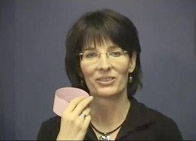
Fort Worth Museum of Science and HistoryAnne, the presenter, does a great job of breaking the ice at the beginning. She has some neat management tricks as well. She asks the teacher (by name) to call on students to answer. She asks the students to take a deep breath and hold it… “OK, now that you’re listening, you can breathe out.” She has a great rapport with middle school students and helps them feel comfortable with the program.

TFort Worth Museumhe program is built on hands-on activities done with strips of paper. Students fold, tape, predict what will happen, and draw on the shapes to test theories. Throughout the program, Anne asks the students to predict what will happen, asks them questions to probe their thinking, visualize what might happen if they cut in a specific place, and involves them fully. “I want everyone else to decide in your own mind what you think you will get.” Think time, and wait time are used judiciously throughout the program as well.

Fort Worth was the first Texas content provider to win the Teachers’ Choice Award that we run every year (they won last year). I can definitely see why. Their programs are full of interaction, student thinking, and hands-on engagement with the topic. This was our first program with them, and we will definitely be coming back again! My only wish is that their scheduling procedures were a little easier.

New VC Content Providers Website & RSS Feed

Announcing……


The Berrien RESA / Polycom Videoconference Database is moving to a new home! We have a new URL, new server with more capacity, and new features.

Please update your links to www.VCcontentproviders.org. Update your links to the “Two Page Selected List“, the Search Help Page, and the Content Provider List too.

New Features

  • We no longer have the 100 user limit we hit last year (a FilemakerPro limitation).
  • You can subscribe via RSS or email to the new programs (see the links on the left here).
  • Content providers can now edit their own pages. But we will continue to scour the web for every possible VC program we can find and list.

New Programs on Your Website
If you would like, you can copy and paste this HTML code onto your website, and the most recent 5 programs added will show on your page.

<script src=”http://feeds2.feedburner.com/VcContentProvidersNewPrograms?format=sigpro” type=”text/javascript” ></script><noscript><p>Subscribe to RSS headline updates from: <a href=”http://feeds2.feedburner.com/VcContentProvidersNewPrograms”></a><br/>Powered by FeedBurner</p> </noscript>

Thank you for updating your links, as the old site will go offline the end of March. Let me know if you have any questions or comments.

Conner Prairie No Longer Offering Programs

I received word in my email this morning that Conner Prairie in Indiana is discontinuing their distance learning program. They have won either the Teacher’s Choice Award or Honorable Mention in the last three years of our annual spring survey.

The explanation given was partly due to the rapid downturn in the economy.

I’m sad to hear this news, and I hope that they are still able to provide history lessons to those who come onsite to their museum. It’s a reminder of how subsidized and sponsored the content providers’ programs are. If we in education want videoconferencing content in this manner, we should be willing to contribute to the cost of development and delivery. But sometimes even that isn’t enough to keep the programs going.

We’ll miss you, Conner Prairie!

Did you ever connect to Conner Prairie? Which programs did you like? Feel free to comment.

New VC Dissertation Published: Kindergarten VC

This morning I received an exciting alert in my inbox. Another dissertation has been published on videoconferencing. This one is by Debra Piecka – who organized the connection we did with Namibia a couple summers ago.

I’m sharing the abstract here, and will read and post more about it later. Here’s the direct link to the dissertation in ProQuest if you have access to that dissertation database.

Show and tell: Learning with interactive videoconferencing in kindergarten
by Piecka, Debra C. Burkey, Ed.D., Duquesne University, 2008, 426 pages; AAT 3338618
Abstract (Summary)

The research investigated how kindergartners make meaning using interactive videoconferencing. The study explored two research questions: (1) What types of meanings are being formed by the kindergartners during interactive videoconferences and,( 2) What are the nature of young children’s emerging inquiries and dialogue surrounding their use of interactive videoconferencing in their classroom? The study embodied a Vygotskian perspective as the theoretical framework in order to meet demands associated with the young participants’ vulnerability, developmental appropriateness, and the students’ interactive learning environment. Employing an ethnographic, participant observation methodology, the research design was informed by three criteria: (1) a pilot study, (2) Miles and Huberman’s (1994a) recurring themes in qualitative data analysis, and (3) literature review results emphasizing the nuances of contemporary culture. Field observation occurred from October 2007 through February 2008 in a Southwestern Pennsylvania kindergarten classroom. Students participated in 7 videoconferences with distant peers or content experts. Data from a gingerbread and puppetry videoconference and an astronomy program were selected for further analysis based on their ability to illustrate poignant examples of how the kindergartners formed meaning during collaborations. Data analysis procedures involved the importing of dialogue from videoconferencing transcriptions, field notes, and other artifacts into the ATLAS.ti qualitative data analysis software for open coding, data display, and grounded theory development.

Results developed from open coding and concept maps in ATLAS.ti informed the following theory development. First, learning with interactive videoconferencing in kindergarten supports meaning making from four Vygotskian tenets: (1) the social origins of learning, (2) sign and tool use through mediated activity, (3) the importance of language, and (4) support for the zone of proximal development. Additionally, the students’ meaning making involved the tenets’ entwinement rather than the solitary occurrence of individual tenets. Regarding the kindergartners’ emerging inquiries, during sustained interactive videoconferencing levels, children’s inquiries and dialogue evidenced exploratory talk that was purposeful, reflective and self-directed. It also indicated comfort with the technology. This study is unique in its multidisciplinary application of Vygotskian learning theory to kindergartners’ meaning making with videoconferencing and provides a foundation for extended use of qualitative methods to examine young children’s’ learning with technology.

I think it’s so interesting that this study is on kindergarten students.  Last week I tested with Richard Sands for Read Around the Planet, and he said his kindergarten teachers use VC the most. One of my “top teachers” that I studied last spring was a kindergarten teacher who did 12 VCs in the 2007-2008 school year.  One of the studies that I’ve been using in my collaborations presentation is on a kindergarten sustained collaboration. And, finally, one of Sue Porter’s favorite Read Around the Planet stories is of a kindergartener. So, how about you? How are your kindergarten classes using VC?

eMissions Podcast

Did you get this announcement in your email? If not, check out this podcast!

Can’t get enough about Video Conferencing?  Take a listen to the latest edition of the Twenty Minutes for Tech podcast, Episode 22: Video Conferencing options for your classroom. In this episode we chat with Julia from CILC and Kathleen from e-Missions about their varied videoconferencing offerings. We also listen in and interview teachers getting a first-hand experience with Operation Montserrat. You’ve heard of ‘controlled chaos’ in the classroom?! Listen in to these teachers living the mission! (and you don’t always need a $10,000 video conferencing system to participate.) You can find the podcast here at: http://www.twentyfortech.com/

Day 16: Quality Connections

20 Days to Being a Better VC CoordinatorGuest blogged by Roxanne Glaser

Schools’ resources are valuable and must be spent wisely. Resources are both staff time and money. Here are some tips about evaluating the quality of your connections so that you can spend your time and money wisely.

Top 3 Quality Indicators for Curriculum Videoconferencing Connections

1. Are you teachers and students actively engaged during the connection? Some connections are compelling as VIEW ONLY, but the majority of the connections that I have participated in where students learned the most were connections where they were participating in a challenge, a quest, a lesson, or asking questions.

2. Are teachers and students provided with quality program materials and resources prior to the connection?
COSI Columbus provide amazing kits with their connections. The kit for the knee surgery comes complete with 30 student viewing guides, hammers, glitter bug lotion and much more! Greenbush sends live Madagascar Hissing Cockroaches for their program. Center for Puppetry Arts provides patterns and instructions for all the preparations needed for their programs.

CAUTION: Materials that have to be shipped back to the provider at the expense of the school can be a pain for coordinators to manage. Be sure to ask about materials or kits to make sure you can keep them or if they need to be sent back.

3. Is the challenge and instructional level appropriate for the students? I am always skeptical when I see a program listed as available for K-12. SeaTrek has a chart showing programs that will work for a certain grade level. NASA Digital Learning Network lists programs for K-12, but in the lesson materials they are divided as K-2, 3-5, 6-8, and 9-12. That tells me that they have adapted the materials and the language so that it is appropriate to the different learning levels.

TWICE has a great document for a more comprehensive look at quality indicators of a videoconference field trip or program. http://www.twice.cc/media/QualityIndicators.pdf

Many content providers have program evaluations to be completed by the classroom teacher after the program. Make sure that your teachers take time to complete these. Content providers use that data to improve programs and in some cases secure grant funding to provide free programming to schools.

Classroom Evaluation of Learning Processes

Teachers can use evaluation strategies with their students to ensure learning is occuring and to improve classroom management for the next connection. As a Tribes trainer, I believe in the group dynamics of learning and the power of reflection in the learning process.

What did you learn about the content?
(including preparation and presentation skills) This rubric was created by Tracy Poelzer from British Columbia and can be used with MysteryQuest connections.
link to MysteryQuest rubric by Tracy

What did you learn about the technology?
How did connecting with other classes or experts enhance your learning? Would this have been better done with the class next door or did using the technology impact how you learned?

What did you do that contributed to your learning?
Be specific here. Focus on the behaviors that you want to nuture during the next connection. These can be explicitly taught by using the “Looks Like, Feels Like, Sounds Like” strategy. Make sure students know what these abstract behaviors will be during the connections.

  • Did you listen to others in your group or the presenter?
  • Did you participate fully?
  • Did you value other people’s ideas?
  • Did you work well together with others?

See page 38 in the Planning Kid2Kid Videoconference Projects booklet for more evaluation ideas.

Comment Comments

  1. Which content providers have you found that have excellent preparation materials?
  2. Who are your favorite content providers providing quality programming for PreK-2, 3-5, 6-8, or 9-12?

Day 10: Assisting Teachers with Preparation

20 Days to Being a Better VC CoordinatorA critical part of a successful videoconference is preparation. So how can you help make sure it happens? Here are some ideas.

Preparation Lesson Plans
Many programs have preparation materials which are very helpful.

  • When the program is scheduled, ask the teacher if they received the materials.
  • A week or so before the program, ask the teacher if they were able to use the materials. Depending on how often you have VCs, you could plan an hour or so once a month/week to check in with the teachers who have upcoming VCs and see if they are getting the students prepared.
  • Some coordinators, depending on their position and other responsibilities, are able to actually do the preparation lessons with the students. Don’t do this more than once; encourage the teacher to team teach the next time; then maybe they can do it on their own. You’ll find it less stressful if you can move your teachers towards independence.

Practicing
When classes are presenting, encourage them to practice.

  • Practice in the classroom.
  • Practice with a fake mic.
  • Practice with the videoconference system.
  • Practice with the visuals. Make sure they are clear enough!

When two of my schools were starting out with VC, the library aides took library time to connect to each other and have each student say a couple sentences on camera. The two classes just took turns until all the students had a turn. Every class participated. This broke the ice for all the students and teachers in each school!

Explain VC to the Students Just Before the Program
I encourage each of my coordinators to make sure students and teacher understand VC before the connection. Usually just a 2 minute little introduction before the program starts. Include:

  • Explain the video & audio quality – it’s not broadcast quality TV!
  • Explain where the mic is and that it can pick up rustling sounds.
  • The people at the other side can see & hear them.
  • Remind the students to speak up loudly and clearly.
  • Encourage them to represent their school with best behavior!

We’ll talk about preparing questions and involving all the students in future posts.

Other preparation tip lists online:

comment1 Challenge Choices:

  • Find an upcoming videoconference on your schedule and ask the teacher how they are preparing for the videoconference. See if they need any assistance.
  • If preferred, write a little outline for your “speech” for before a videoconference.

comment1 Comment:

  • How do you help teachers prepare for a videoconference? Any other tips?
  • What is hard about helping teachers prepare? Where do you get stuck?

Day 9: Cancellations

20 Days to Being a Better VC CoordinatorGuest blogged by Roxanne Glaser

Sometimes life interrupts the best laid plans. You have worked with teachers and found content that fits with their curriculum. You submitted the paperwork. You have conducted test calls. You follow up with the teacher and you hear this, “I cannot do that videoconference.” What do you do?

Let’s start with what not to do. Don’t yell. Don’t take it personally. Breathe in. Breathe out.

Here are five tips for how to handle a cancellation

  1. Find out why the teacher is canceling.
  2. If the teacher is nervous or unsure about the event, contact facilitator or content provider for reassurance.
  3. Contact the content provider or facilitator of the session to find out if adjusting the schedule is possible. (NOTE: Be sure to read the cancellation policy of a content provider when you book the session. Some will charge a cancellation fee.)
  4. Try to find another teacher in your building to replace the class that is canceling.
  5. Communicate to all involved that the connection will not take place and diplomatically explain why.

comment1 Challenge: Add a tip in the comments section that you have used in the past when a teacher cancels a connection.