Growth Planning

growing plantsThis morning I read Albert Reyes‘ post about Growth Planning. Albert is in the AU Leadership program and so I’ve been reading his blog with interest to see what I will be learning in the program.

Since the usage of videoconferencing is growing almost unmanageably in my service area, and TWICE also is growing, I look forward to learning more about planning for managable and effective growth. Point I gained from Albert’s post today are:

  • Examining and mapping out the needs
  • Noting the resources and people to support growth
  • Using this information to decide where best to invest time, energy, and resources

I look forward to learning more so that I too can plan for effective growth in my work.

attendr distancelearningville

Check out this little tool that Arnie set up for Distancelearningville. Attendr is a tool to see who you know and who you want to meet.  Try it out – just create an account and put in your location, and click on the buttons next to names to list who you know and who you want to meet.

Ok, this looks like it could be fun (maybe even more right before a conference – like NECC or the upcoming CILC Symposium?). You could make a list of people you wanted to meet at a conference.

Can you think of any other uses besides just being fun & networking a wee bit with each others?

Learn, Teach, Lead

Wow! I love collaboration and learning from videoconferencing colleagues. I’ve been pondering Roxanne’s comments about learning, then teaching, then leading. She first mentioned this to me as we were working on setting up Google Docs for Jazzing Up Your Curriculum with VC this summer (affectionately termed Jazz). Now she’s taken the time to write up the theory more fully. Thanks Rox!

[There are] three phases: you as a learner, you as a teacher, and then as a leader. This is the philosphy that we have adopted in house and Ed and I conduct trainings within the region. At first we were skipping the “learner” phase and tried to get teachers to TEACH with the new technologies. We have revised that philosophy and now we conduct trainings to show teachers and tech leaders how to use the tools for their own learning. Then we will begin to work with them on how to use them with their students and eventually how to use them when they lead their own learning communities.

So today I’ve been in “Jazz” mode all day, preparing materials and meeting with the facilitators. I’ve been wondering, how are we using this idea in the Jazz training? (For more detail, you may want to review the Jazz workshop agenda.)

  • First, every morning the participants experience simulations of popular videoconference projects, including Read Around the Planet, Monster Exchange, Math Marvels, MysteryQuest, and the ASK process, complete with a Vietnam veteran interview. They experience these projects in the role of students, with each site playing the role of a classroom. They can see how the project could work with students. I think that fits into the “learner” phase first.
  • In the afternoon small group time, they design a project in teams comprised of participants from at least two locations. Here also, they use collaborative tools such as GoogleDocs and Skype to create a document describing their project. Early in the week, they have a chance to play with the tools, including camera presets, etc. on a videoconference system. This is the learner phase too I think.
  • At the end of the week, they present their project to everyone. During this time, the participants experience teaching over videoconferencing as they present and talk on camera.
  • I think these experiences prepare them to lead in creating their own projects and supporting their teachers (for coordinators who attend) in using VC. I know I’ve seen amazing increase in the use of VC by people who attend this workshop.

We are also using this idea in training new facilitators. In the facilitators meeting today we explored GoogleDocs and Skype, tools which will be used with the small group activities in the afternoon. We are also using GoogleDocs to share agendas, contact information for everyone, participant lists, and connection details. The facilitators are using the tools as a learner for themselves. In the workshop this summer, they will teach the tools. And we hope that Jazz will continue to grow and maybe next year, some of this year’s facilitators will be ready to lead their own team (3 to 4 sites).

So, what do YOU think? How do you use this pattern of learning, teaching and leading?

Fun with Bubbles

07-06-06bubbles.jpgWe’re finishing up the school year with several classes connecting to the New York Hall of Science for a program called Fun with Bubbles. The program starts with the Explainer setting the students at ease by asking them where they are and what they know about bubbles already.
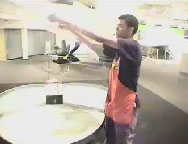
07-06-06bubbles2.jpgStudents see and think about examples of bubbles occurring naturally and how they are created. The presenters demonstrate creating several types of bubbles and ask students lots of questions to increase their understanding of light, soap, bubbles, and more. Students predict the best way to make bubbles and what materials can be used to make them.

Students enjoyed this interactive program and learned about bubbles! One more tomorrow & then we’re done for this school year. Yeah!

Final Report Reflections

Final Report Numbers
Last week I posted our final report online and have been mulling over the implications since. Largely due to the RUS grant, our districts averaged a 400% increase in usage this year. We almost doubled our total usage across the whole service area for the second year in a row. This year 63% of our programs were free; the majority of those project or classroom-to-classroom connections.

Percentage of Teacher Use
However, while those numbers sound good, this year we looked at another number for the first time – percentage of teacher use. I have a couple elementary buildings where 100% of the teachers participated in at least one videoconference with their students; however the average across our two county service area is about 23%. This raises some questions in my mind.

  • Is it our goal to have every teacher use videoconferencing? Should it be? Some of my new RUS grant building coordinators want every teacher to use it. They are all in elementary buildings.
  • Middle and high school classes still prefer high end challenging content which is usually rare from content providers and it’s still impossible to pay for every class to participate in a program. I don’t see that changing anytime soon. Is it possible to integrate enrichment videoconferencing across the board at the middle & high school level?
  • Middle and high school classes also don’t see the value of classroom-to-classroom connections as much as elementary teachers do. They want a higher curriculum bang for their buck (or time), and connecting to another school doesn’t always provide that. Is there a way to create curriculum-rich, challenging, free projects for middle and high school classes?

Use & Work Load
In addition, what seems to be high use from my perspective is only 23% of teachers in my service area. If 23% usage is driving me crazy and I can’t keep up; something has to change to make additional growth sustainable. At what point will my building coordinators also feel that it’s driving them crazy and they don’t want to support anymore connections? The work load of supporting videoconferencing (curriculum wise) is shared between the teachers, the building coordinators, and support from the ISD (me). How can we support this in a way that is sustainable and makes room for additional growth? I’m hearing from many of my RUS grant buildings that they are basically pleased with the results of the first year and hope to get more teachers involved next year. How do we sustain that growth & prepare for it?

Solutions
The plans simmering in my brain include the following:

  • Raising the district contribution to our mini-grants from $25 to $50 to spread the funds further.
  • Switching from supporting and making every connection to supporting only those that we’re running (i.e. MysteryQuest & ASK) and ones that the buildings have trouble connecting on their own. This is a huge shift for me and one that I wasn’t ready mentally for last September. But as my schedule filled up, I had to move to this model. Now we’re making it official policy. Are YOU ready for this change if you’re at an educational service agency? It’s coming your way too!
  • More professional development, specifically that which helps building coordinators schedule & troubleshoot on their own and helps teachers design projects & match up with partners.
  • Help my buildings become more independent. This is not only happening at my level; but at the district tech coordinator level as well. In several districts where the district tech coordinator used to help with every videoconference, they are now leaving it to the building coordinators and assisting only when there are problems.
  • Often more content & dream up more projects, especially for middle & high school classes. My challenge here is that I really can’t add more projects that I have to coordinate and facilitate the videoconference. The projects need to be point to point and the teachers need to be able to do it themselves (like Read Around the Planet). This means good high quality teacher packets for projects that tightly match the curriculum.

So how are you addressing and sustaining growth in your area? Do you see these same challenges? Do you think every teacher should use videoconferencing? Please comment!

This & That

Here’s a collection of notes & thoughts….

  • I’m about halfway through listening to the whole interview between Steve Jobs and Bill Gates at the D Conference last week. It’s great evening entertainment for those interested in technology. I caught a reference by Bill Gates to videoconferencing and looked it up. Microsoft is working on a teleconferencing product called RoundTable. Intriguing, but it seems to be designed for meetings and may not work well in a classroom setting. But might work for shared classes. Something to keep our eyes on.
  • Did you know that TANDBERG has an education newsletter? Here’s a sample from my inbox and here’s how to subscribe. Enjoy!
  • This is really cool from CSD’s blog. A parent wanted to find out about a museum they connected to so they could visit on their summer vacation! Isn’t that cool!! Content providers, you never know when you’re inspiring an actual visit to your museum!!
  • Mark your calendar for Megaconference Jr. on February 21, 2008.  You won’t want to miss it!!
  • PBwiki came out with a new word-like editor this spring. Makes editing in a wiki a whole lot easier. Also, I’ve recently updated the list of collaborative projects on our collaborative VCs wiki. Lots of great examples of VC projects for your summer trainings!
  • The New York Hall of Science has a nice set of bios on their presenters (explainers) on their blog. Check it out.

Learn, Teach, Lead

Here’s an idea from Roxanne Glaser that I want to remember! Yesterday we were working on the materials for the 123 VC: Jazzing Up Your Curriculum with VC workshop coming up this summer. We were using GoogleDocs to collaborate on agendas & notes for an upcoming meeting. Roxanne is always teaching me things about learning theory, group process and more.

Yesterday it was – first you use a tool and learn it yourself, then you teach it, then you use it in leadership.

Something to ponder for sure. What tools are you using that you will use in leadership?

Open Polycom Trouble Tickets Online

Did you know you can open a Polycom Trouble Ticket online? You can also login and see the status of your tickets as well. Pretty cool. I know many of you have Polycom systems and maybe you know this already. I just learned it today and thought you’d want to know too!

Megaconference, Nov. 8, 2007

Mark your calendar for Megaconference on November 8, 2007. The date was just sent out yesterday on the Megaconference listserv. This is the higher education, adult facilitated, original Megaconference that Megaconference Jr. (student facilitated) is modeled after. If you haven’t experienced a Megaconference, it’s an incredible experience.

Here are a few good strategies for bringing a Megaconference to your school.

  • Have the event running in a central location so that classes can pop in and out.
  • Print the schedule and share with teachers. However, realize that Megaconference is live and sometimes it gets off schedule a bit. So be flexible!
  • Encourage students to study and celebrate the geography of the event. Have them map out the participants list. Keep a world map close to the videoconference system so students can look up the locations represented by the presentations.

Anyone else have some good strategies for making a Megaconference a successful learning event in your school?